
A successful website redesign starts with four non-negotiable moves: export your baseline analytics, lock your information architecture before any design work begins, map every redirect before launch, and phase the rollout instead of going live all at once. Skip any of these and you risk losing the organic traffic and conversion performance your current site already earns.
Before you open a design tool, run through this priority checklist:
- Export top pages by organic sessions and conversions from Google Analytics and Google Search Console — these are the pages you cannot afford to break.
- Save your Core Web Vitals baseline using PageSpeed Insights so you have a benchmark to beat, not just match.
- Start your redirect map now. Every URL that ranks or earns backlinks needs a documented destination. Incomplete 301 redirect mapping is the single most common cause of post-launch traffic loss.
- Lock your sitemap and IA before wireframes. Changing the IA after design begins is expensive and slow.
- Plan a phased launch. High-traffic templates go live first; lower-traffic pages follow after you confirm metrics are stable.
- Record your KPI baselines (conversion rate, bounce rate, form completions, organic sessions) so you can measure real impact at 30, 60, and 90 days post-launch.
Key Takeaways
A website redesign protects existing traffic and improves conversions only when you lock the IA, map every redirect, and phase the launch before a single design file is opened.
| Point | Details |
|---|---|
| Audit before you design | Export organic sessions, conversions, Core Web Vitals, and backlinks per URL as your baseline before any work begins. |
| Lock IA before wireframes | Finalizing the sitemap and content hierarchy before visual design eliminates the most expensive revision cycles. |
| Treat the redirect map as QA | Every ranking or linked URL needs a tested 301 destination; gaps in the map are the leading cause of post-launch traffic loss. |
| Phase the launch | Release high-traffic templates first, monitor for 48 hours, then roll out remaining pages to isolate and fix issues fast. |
| Monitor at 30/60/90 days | Compare organic sessions, conversion rate, and Core Web Vitals against your pre-launch baseline at each checkpoint. |
| Enochmarketing for gym sites | Enoch Marketing's redesign engagements are built exclusively for CrossFit gyms, with phased rollouts, traffic protection, and conversion-focused lead capture from day one. |
Table of Contents
- What is the difference between a redesign, a refresh, and a rebuild?
- How to audit your current site before any design work
- How do you set goals, KPIs, and a realistic timeline?
- How should you approach user research and information architecture?
- What does a solid design process look like from wireframes to launch?
- How do you migrate content and protect SEO during a redesign?
- How do Core Web Vitals and technical performance affect your redesign?
- What should your pre-launch checklist and rollback plan cover?
- What should you monitor in the 30/60/90 days after launch?
- What are the most common redesign pitfalls and how do you avoid them?
- Redesign tips specifically for gym and CrossFit websites
- How Enoch Marketing approaches a redesign
- What does a redesign engagement with Enoch Marketing look like?
- Sources
What is the difference between a redesign, a refresh, and a rebuild?
A refresh is cosmetic: new colors, updated fonts, swapped images. The URL structure, navigation, and content stay put. A redesign touches structure, content, and visual systems simultaneously. A rebuild replaces the underlying platform or architecture entirely, often moving from one CMS to another.
Choosing the wrong level of work is expensive. A team that rebuilds when a refresh would do wastes budget. A team that refreshes when the IA is broken ships a prettier version of a site that still confuses visitors.
Use these diagnostic questions to pick the right scope:
- Are users dropping off at navigation or search? That points to an IA problem, which means redesign.
- Is your platform preventing you from publishing, testing, or integrating tools? That is a rebuild trigger.
- Are your conversion rates and organic sessions healthy but the site looks dated? A refresh is probably enough.
- Has your core audience, product, or brand positioning changed significantly? Redesign.
Content strategy, IA, SEO, and technical infrastructure are redesign foundations, not add-ons. Skipping the discovery phase and jumping straight to visual design is the pattern behind most failed rebuilds. A true redesign follows a multi-step process: audit, research, IA, content, design, testing, launch, and monitoring.
How to audit your current site before any design work
The audit is your insurance policy. It tells you what is working, what is broken, and what you cannot afford to lose. Run it before a single wireframe gets drawn.
The four data layers to capture
1. Traffic and conversion data (Google Analytics) Pull a page-level report: organic sessions, goal completions, conversion rate, bounce rate, and time on page for the past 12 months. Export it to a spreadsheet.
2. Search visibility (Google Search Console) Export your top queries, top landing pages by clicks and impressions, and any crawl errors. Note which URLs earn backlinks using a crawler like Screaming Frog or Sitebulb. Pages with backlinks need a redirect destination even if you plan to retire the content.
3. Behavior signals (Hotjar) Hotjar heatmaps and session recordings show you where users click, where they stop scrolling, and where they abandon forms. This data is irreplaceable for IA decisions. Run recordings on your top five pages for at least two weeks before the redesign kicks off.

4. Performance baseline (PageSpeed Insights) Run every key template (homepage, service page, blog post, contact page) through PageSpeed Insights. Record your Largest Contentful Paint (LCP), Interaction to Next Paint (INP), and Cumulative Layout Shift (CLS) scores. These are your Core Web Vitals benchmarks.
Baseline export checklist
| Data point | Tool | Export format |
|---|---|---|
| Organic sessions per URL | Google Analytics | CSV, 12-month view |
| Goal completions per URL | Google Analytics | CSV, by page |
| Top queries + landing pages | Google Search Console | CSV |
| Backlinks per URL | Screaming Frog / Ahrefs | CSV |
| Heatmaps + session recordings | Hotjar | Screenshot + video |
| Core Web Vitals per template | PageSpeed Insights | Manual log |
| Crawl errors + redirect chains | Screaming Frog | CSV |
Store every export in a shared folder labeled "Pre-Redesign Baseline." You will need it the day after launch.
How do you set goals, KPIs, and a realistic timeline?
Every redesign needs one primary goal and two or three supporting KPIs. Without them, every stakeholder opinion carries equal weight, and the project drifts.
Pick one. Supporting KPIs might include conversion rate on the homepage, Core Web Vitals scores, form completion rate, or average session duration on key service pages. For gym owners, lead funnel metrics like trial signups and demo bookings are the numbers that tie directly to revenue.
Timeline reality check
Small sites (under 30 pages) typically take 6–10 weeks from audit to launch when the team is focused. Mid-size sites (30–150 pages) run 3–5 months. Enterprise projects with custom integrations, complex migrations, and multiple stakeholder approval layers can stretch to 9–12 months. The discovery phase, where you lock goals, IA, and content decisions, is the highest-leverage investment in the timeline. Teams that rush discovery spend twice as long in revision cycles.
Budget allocation framework
Major cost drivers in a redesign:
- Content: writing, editing, and SEO optimization for every page you keep or rewrite. Often underestimated by 40–60%.
- Custom development: integrations with booking systems, CRMs, or payment platforms add significant engineering time.
- QA and testing: plan for at least 10–15% of total project budget for testing, staging, and pre-launch QA.
- Post-launch optimization: the 30/60/90-day sprint work is real labor. Budget for it before you sign off on the project scope.
How should you approach user research and information architecture?
IA decisions made after wireframes are expensive. Lock the sitemap before any visual work begins.
Start with what you already have. Your Google Analytics behavior flow and Hotjar session recordings will show you the paths users actually take versus the paths you intended. That gap is your IA problem list.
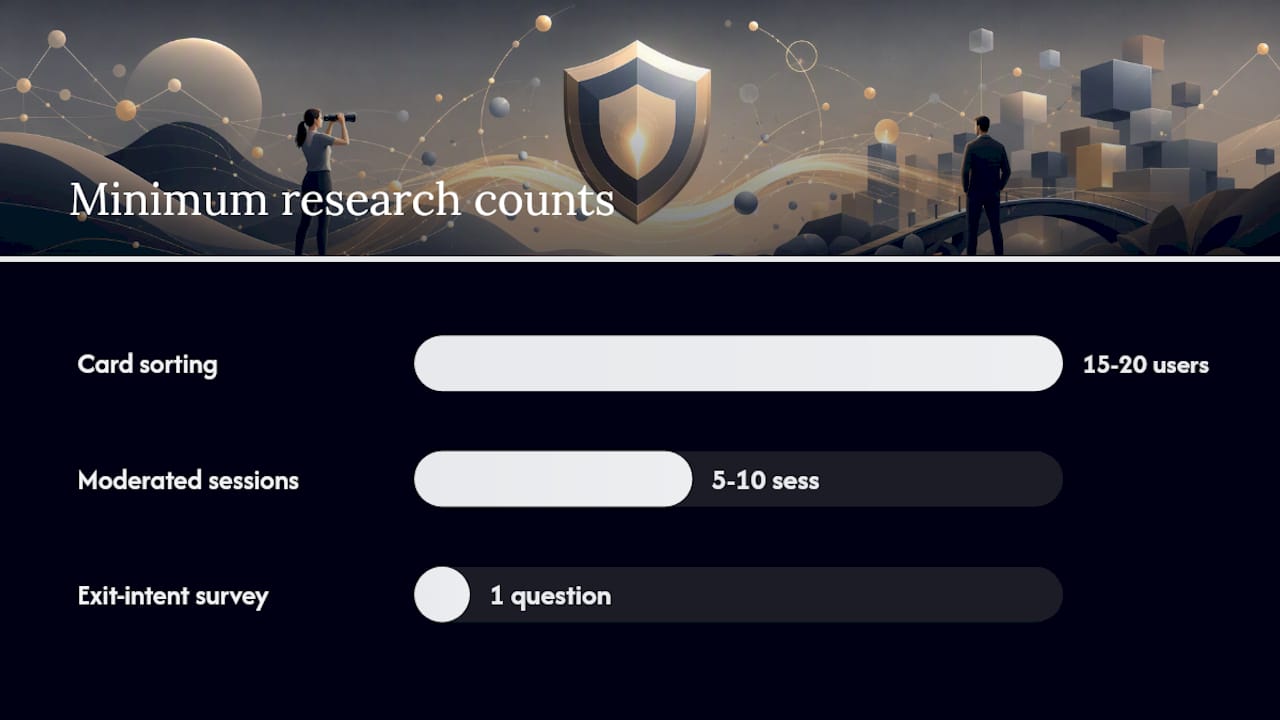
Minimum research you need:
- Analytics behavior funnels: identify where users drop off between key pages (homepage → service page → contact, for example).
- 5–10 moderated usability sessions: watch real users attempt your top two or three tasks on the current site. You will see friction points no analytics report surfaces.
- Card sorting: give 15–20 users a set of your page topics and ask them to group them. The clusters they create are your navigation categories.
- Surveys: a single exit-intent question ("What stopped you from booking today?") on your current site generates qualitative data that shapes copy and page priority.
Once you have a draft sitemap, validate it with a tree test before building anything. Tree testing asks users to find specific content in a text-only version of your navigation. It catches dead ends and mislabeled categories before a single pixel is designed.
Page prioritization for phased rollout:
- Keep: high-traffic, high-conversion pages with strong SEO value.
- Rewrite: pages with good traffic but poor conversion or outdated content.
- Merge: thin pages covering the same topic; consolidate into one authoritative page.
- Retire: pages with no traffic, no backlinks, and no business value. Redirect them to the closest relevant URL.
Collecting multiple perspectives early and locking content and admin-friendly templates speeds approval cycles and reduces the revision loops that blow timelines.
What does a solid design process look like from wireframes to launch?
Start with content, not visuals. A wireframe built around placeholder text ("Lorem ipsum") produces layouts that break the moment real copy arrives. Write the headline, subhead, and body copy for each key page first, then wireframe around it.
Design workflow
Content-first wireframes → component-based design system → responsive prototypes
Wireframes should be low-fidelity and fast. Their job is to validate layout logic and content hierarchy, not to impress stakeholders. Once the wireframes are approved, build a design system before you design individual pages.
Design system checklist:
- Design tokens (color, spacing, border radius, shadow)
- Type scale (H1–H6, body, caption, label)
- Accessible color contrast (WCAG AA minimum: 4.5:1 for body text)
- Component library: buttons, forms, cards, navigation, modals
- Conversion pattern components: CTAs, pricing blocks, testimonial layouts, booking widgets
Mobile-first is not optional. Mobile commonly accounts for the majority of sessions, and designing desktop-first then squishing it down for mobile produces layouts that feel cramped and perform poorly. Design the mobile layout first, then expand it for tablet and desktop. This constraint also forces cleaner content hierarchy decisions.
Accessibility from day one. There has been a record number of accessibility lawsuits filed in recent years, making it both a legal and UX priority. Build in keyboard navigation, semantic HTML, sufficient color contrast, and descriptive alt text during the design phase, not as a post-launch patch.
Pro Tip: When presenting designs to stakeholders, ask for specific feedback: "Which element would you change and what would you replace it with?" Vague feedback like "it doesn't feel right" stalls projects. Concrete preferences move them forward.
How do you migrate content and protect SEO during a redesign?
This is where most redesigns lose traffic. The redirect map is a QA deliverable, not an afterthought. Treat it with the same rigor as your design files.
Content audit scoring
Score every page on two axes: SEO value (organic sessions, backlinks, keyword rankings) and business value (conversions, revenue attribution, brand importance). Pages that score high on both get kept and optimized. Pages that score high on SEO but low on business value get rewritten to align with current goals. Pages that score low on both get retired with a redirect.
Content audit decision rules:
| Decision | Criteria |
|---|---|
| Keep | High traffic + high conversions + strong backlinks |
| Rewrite | Good traffic, weak conversion, outdated content |
| Merge | Multiple thin pages covering the same topic |
| Retire + redirect | Low traffic, no backlinks, no business value |
Migration map essentials
Your redirect map is a spreadsheet with four columns: old URL, new URL, redirect type (301), and QA status (tested/untested). Every URL in your crawl export needs a row. Every row needs a tested destination before launch day.
SEO migration checklist:
- Preserve title tags and meta descriptions (update them, but do not delete them)
- Carry over schema markup (LocalBusiness, FAQPage, Article) to new templates
- Update your XML sitemap and submit it to Google Search Console on launch day
- Set canonical tags on any pages with near-duplicate content
- Check for redirect chains (A → B → C should become A → C)
- Monitor Search Console for crawl errors and coverage drops in the first 30 days
When high-value pages carry significant backlinks, reach out to the linking sites after launch to update the destination URL. A 301 redirect passes most link equity, but a direct link to the live URL is always cleaner.
How do Core Web Vitals and technical performance affect your redesign?
Performance is a ranking signal and a conversion factor; for detailed guidance on optimizing fitness-related websites, see this performance optimization resource. A one-second delay in page load can measurably reduce conversion rates, and Google's Core Web Vitals directly influence search rankings.
The three metrics that matter:
- LCP (Largest Contentful Paint): measures how fast the main content loads. Target under 2.5 seconds. The most common fix is optimizing the hero image: compress it, serve it in WebP format, and preload it in the HTML.
- INP (Interaction to Next Paint): measures responsiveness to user input. Target under 200ms. Heavy JavaScript, unoptimized event listeners, and bloated third-party scripts are the usual culprits.
- CLS (Cumulative Layout Shift): measures visual stability. Target under 0.1. Reserve space for images and ads in CSS so the layout does not jump as elements load.
Priority engineering fixes
- Compress and convert all images to WebP or AVIF before launch.
- Implement lazy loading for images below the fold.
- Inline critical CSS and defer non-critical stylesheets.
- Audit third-party scripts (chat widgets, analytics tags, ad pixels) and load them asynchronously or remove the ones you do not use.
- Use a CDN for static assets. Hosting location matters less when assets are cached at the edge.
- Set explicit width and height attributes on every image element to prevent CLS.
Measure with PageSpeed Insights during development, not just before launch. Run it on every major template after each significant code change.
Pro Tip: Set a performance budget before development begins: for example, LCP under 2.5s, total page weight under 1MB for mobile. When a new feature or design element would break the budget, the team has a documented reason to push back rather than a subjective argument.
What should your pre-launch checklist and rollback plan cover?
A launch without a checklist is a gamble. Run through every item below on your staging environment before you touch production.
Pre-launch checklist (numbered for sign-off)
- Redirect map QA: test every redirect in the map. Use Screaming Frog's "Spider" mode to crawl the staging site and confirm all 301s resolve correctly with no chains.
- Analytics and event tracking: verify that Google Analytics 4 is firing on every page and that conversion events (form submissions, button clicks, booking completions) are tracked correctly.
- Cross-browser and device QA: test on Chrome, Firefox, Safari, and Edge. Test on iOS and Android at multiple screen sizes.
- Accessibility audit: run an automated check with Axe or WAVE, then do a manual keyboard-navigation walkthrough.
- Forms and integrations: submit every form and confirm the data reaches your CRM or email platform. Test payment flows in sandbox mode.
- SSL and DNS: confirm the SSL certificate is valid and HTTPS is enforced across all URLs. Check DNS TTL settings before the cutover.
- XML sitemap and robots.txt: confirm the sitemap is updated and submitted. Confirm robots.txt does not block any pages you want indexed.
- Core Web Vitals on staging: run PageSpeed Insights on every key template. Flag any score below your performance budget.
- Stakeholder sign-off: get written approval from the project owner, the SEO lead, and the development lead before the launch window opens.
- Emergency contacts list: document who to call if something breaks in the first 48 hours: developer, hosting provider, DNS manager, analytics owner.
- Rollback plan documented: confirm you have a database backup and a deployment rollback procedure that can restore the previous version within two hours.
Phased rollouts and parallel runs are the safest launch approach. Launch your highest-traffic templates first, monitor for 24–48 hours, then release the remaining pages. If a critical metric drops sharply, you can roll back a single template rather than the entire site.
What should you monitor in the 30/60/90 days after launch?
The first 90 days after launch are your most important optimization window. A disciplined 9-phase process treats post-launch monitoring as a structured phase, not an afterthought.
30-day checks:
- Organic sessions vs. pre-launch baseline (expect some volatility; a drop under 15% is usually normal re-indexing).
- Search Console: coverage errors, manual actions, and any URLs that dropped out of the index.
- Conversion rate on key pages vs. baseline.
- Core Web Vitals in the "Field Data" section of PageSpeed Insights (real user data takes 28 days to populate).
- Redirect map: confirm no 404s are appearing in Search Console.
60-day checks:
- Keyword rankings stabilizing. Pages that were ranking before the redesign should be recovering or improving.
- Hotjar session recordings on new templates: are users finding what they came for?
- Form completion rates and lead quality.
- Any new crawl errors introduced by CMS updates or content edits post-launch.
90-day checks:
- Full KPI comparison against the pre-launch baseline: organic sessions, conversion rate, bounce rate, Core Web Vitals, and revenue or lead volume.
- A/B test results if you launched any experiments at go-live.
- Sprint planning for the next round of optimizations based on what the data shows.
Roll back or fix the redirect map immediately.
What are the most common redesign pitfalls and how do you avoid them?
Most redesign failures are predictable. Here are the ones that cause the most damage, and the fix for each.
- Hard reset on ranking pages. Teams delete or restructure URLs that rank well, assuming the new design will recover the traffic. It rarely does quickly. Keep ranking URLs intact or redirect them with a tested 301.
- IA decided after design. When navigation and page structure are finalized during or after the visual design phase, the result is expensive rework. Lock the sitemap before wireframes.
- Incomplete redirect mapping. Every URL that earns traffic or backlinks needs a documented redirect destination. A redirect map with gaps is a traffic leak.
- Big-bang launch. Launching the entire site at once makes it impossible to isolate what caused a problem. Phase the rollout by template priority.
- No analytics baseline. Without pre-launch numbers, you cannot tell whether a post-launch change is an improvement or a regression. Export everything before you start.
- Vague stakeholder feedback. "It doesn't feel right" is not a revision brief. Ask stakeholders to name the specific element and what they would replace it with. This alone cuts revision cycles significantly.
- Ignoring performance budgets. A visually impressive design that scores 40 on PageSpeed Insights will underperform a simpler design that loads in under two seconds.
- Scope creep without timeline adjustment. Adding features mid-project without extending the timeline or budget is the most common reason redesigns ship late and over budget.
Redesign tips specifically for gym and CrossFit websites
A gym website has one job: turn a visitor into a lead. Every design and content decision should be measured against that outcome. For a deeper look at how website structure drives membership growth, gym websites directly impact member acquisition.
Conversion checklist for fitness sites:
- Class schedule visibility: the schedule should be reachable in one click from the homepage. If a visitor cannot find when classes run within 10 seconds, they leave.
- Pricing clarity: hidden pricing creates friction and distrust. Show your membership tiers clearly, even if you direct visitors to a call for custom pricing.
- Social proof above the fold: member testimonials, transformation photos (with permission), and Google review counts belong on the homepage, not buried in a sidebar.
- Single, prominent CTA: one primary call to action per page (book a free class, claim a trial, schedule a call). Multiple competing CTAs dilute click-through.
- Lead capture on every key page: a short form (name, email, phone) or a booking widget should appear on the homepage, the class schedule page, and the pricing page.
- Mobile booking flow: test the entire signup or booking process on a phone. If it takes more than three taps to reach the form, simplify it.
Local SEO priorities for gyms:
- Add LocalBusiness schema markup with your address, phone, hours, and service area.
- Create individual pages for each class type (CrossFit, Olympic lifting, open gym) with location-specific keywords.
- Integrate your Google Business Profile with your website's NAP (name, address, phone) data. Inconsistencies between the two hurt local rankings.
- For fitness brands building out their SEO foundation, ranking higher with fitness-specific SEO requires consistent on-page signals across every location and class page.
Conversion metrics to track:
- Trial class signups (primary conversion)
- Demo or consultation bookings
- Contact form completions
- Click-to-call events on mobile
- Schedule page views as a leading indicator of intent
For gym owners looking to sharpen the user experience on their fitness site, navigation simplicity and fast mobile load times are the two levers with the highest conversion impact.
How Enoch Marketing approaches a redesign
The process that consistently protects traffic and improves conversions follows a clear sequence: discovery and audit, content and IA lock, design, build, QA and migration, phased launch, then 30/60/90-day optimization. The order is not flexible. Skipping or reordering phases is where projects fail.
The most important discipline is locking content and IA before any visual design begins. When a team finalizes the sitemap, page hierarchy, and core copy before opening a design tool, the visual layer fits the content rather than fighting it. This eliminates the most common and most expensive revision cycle in redesign projects.
Strategy should precede layout: identify what the current site is already doing well, where users are dropping off, and which pages carry search equity before making a single structural decision. This is not a philosophical preference. It is the difference between a redesign that ships on time and one that runs three months over.
Post-launch, the 30/60/90-day monitoring cadence is treated as a deliverable, not optional follow-up. The first 90 days are when the data tells you what the redesign actually accomplished versus what it was supposed to accomplish, and that gap drives the next sprint.
What does a redesign engagement with Enoch Marketing look like?
Gym owners who want the redesign done right without managing the process themselves have a direct path: a free strategy session with Enoch Marketing that covers an audit of your current site's traffic, conversion gaps, and technical performance, plus a 30/60/90-day optimization roadmap and a list of quick wins you can act on immediately.
A signed engagement follows the same phased process described throughout this article: discovery and content/IA lock, design and build, phased rollout starting with your highest-traffic templates, and ongoing optimization tied to real membership metrics. Traffic protection is a priority from day one. Enoch Marketing's web design and marketing packages are built exclusively for CrossFit gyms and fitness studios, which means the conversion patterns, local SEO structure, and lead capture flows are already proven in your market.
See the full service offering or review pricing and packages to find the right fit for your gym's growth stage. Book a free strategy session and walk away with a concrete plan, whether you hire Enoch Marketing or execute it yourself.
Sources
Core tools in the workflow:
Authoritative process guides: