
Your lead scoring model works when it scores fit and intent as separate axes, then routes based on both. Start with 8–12 signals, set an MQL threshold around 40 points and an SQL threshold around 70–80 points, and auto-route demo or trial requests directly to sales regardless of score. That is the minimum viable setup you can wire into most CRMs in a single day.
1-day checklist:
- Pick 4–6 firmographic fit signals (job title, company size, industry, geography, technographics, seniority)
- Pick 4–6 behavioral intent signals (pricing page visit, demo request, product docs, case study, webinar attendance)
- Add at least 2 negative signals (personal email domain, competitor domain, unsubscribe)
- Set MQL at 40 points, SQL at a commonly used threshold around 70–80 points, and create an auto-SQL rule for demo and trial requests, bypassing the threshold.
- Write the composite score back to the contact record in your CRM
1-week checklist:
- Pull your last 90 days of closed-won and closed-lost deals
- Run them through the model and plot conversion rate by score band
- Adjust thresholds where conversion meaningfully rises (a working model shows a clear staircase, not a flat line)
- Confirm sales reps can see both the score and the reason it was assigned
- Schedule a weekly review for the first month, then move to quarterly recalibration
Scoring fit and intent separately preserves diagnostic clarity. A single blended number hides whether a lead surfaced because of who they are or what they just did. Keep them distinct, and your reps know exactly what to say on the first call.
Table of Contents
- Which lead scoring framework fits your team?
- Five practical steps to build a working lead scoring model today
- Which signals should you actually score?
- How to assign point values and set thresholds
- How to map scores to sales actions and CRM writeback
- How do you know if your lead scoring model is actually working?
- When should you move from rules-based to predictive scoring?
- What teams get wrong with lead scoring
- Ready-to-copy point allocation tables and implementation checklist
- Applied example: lead scoring for a CrossFit gym
- Key Takeaways
- The part most teams skip until it's too late
- Enochmarketing builds lead scoring systems for fitness businesses
- Useful sources
Which lead scoring framework fits your team?
Five frameworks cover most situations. The right one depends on your lead volume, data maturity, and whether you have engineering resources.
| Framework | What it captures | Accuracy / predictive power | Engineering effort | Best for |
|---|---|---|---|---|
| Manual point system | Fit + intent via hand-assigned weights | Low to moderate; degrades without updates | None | Small teams, <50 leads/week, no CRM automation |
| Rules-based CRM scoring | Fit + intent via conditional logic in CRM | Moderate; transparent and auditable | Low (CRM config) | Sales-led teams, 50–500 leads/week, HubSpot or similar |
| Hybrid (rules + conditional ML) | Fit + intent + some pattern detection | Moderate to high; blends transparency with lift | Medium | Mid-market teams with a marketing ops resource |
| Predictive ML on CRM data | Fit + intent + historical outcome patterns | High; retrains on outcomes automatically | High (data pipeline) | Teams with 500+ leads/month and labeled outcome data |
| Relational ML (account/colleague signals) | All of the above + cross-lead account patterns | Highest; captures buying-group dynamics | Very high | Enterprise B2B with multi-person buying groups |
When to pick each:
- Predictive ML: Predictive models learn weights from historical outcomes, automate validation, and should be adopted once audits show your rules are no longer predictive. You need sufficient labeled data before this is worth the investment.
- Relational ML: Colleague conversions and content-progression sequences provide large predictive lift that flat-table models cannot see. When one person at a company converts, conversion probability for others at the same company rises materially. Flat-table models are blind to this pattern.
Five practical steps to build a working lead scoring model today
Step 1: Define the conversion event
Before assigning a single point, decide what you are predicting. Closed-won revenue, demo booked, free trial activated, and product-qualified lead (PQL) are all valid targets, but they require different signal sets. Pick one for your first model. If your team uses both a marketing-qualified lead (MQL) and a sales-qualified lead (SQL) stage, define both thresholds now so you know what score triggers each.
Step 2: Inventory and group signals
List every data point your CRM and marketing automation platform already capture. Group them into fit signals (firmographic, demographic, technographic) and intent signals (behavioral, product usage). Flag any field with more than 20% missing values. A signal you cannot reliably populate will hurt model accuracy more than it helps. Start with the fields that are at least 80% complete.
Step 3: Assign initial point values
For a rules-based model, assign points based on expert judgment calibrated against your closed-won data. For a predictive model, you need roughly 80 labeled outcomes (around 40 positive and 40 negative) and six months of activity history before the model has enough signal to outperform hand-assigned weights. If you are below that threshold, stay deterministic and revisit in a quarter.
Step 4: Set thresholds and routing logic
Map score bands to actions. Cold (0–39): marketing automation only. Warm (40–69): MQL, enroll in sales-assisted nurture. Hot (70+): SQL, route to sales with an SLA. Add an auto-SQL exception for demo requests and trial activations regardless of score. These bypass the threshold because the intent signal is unambiguous.
Step 5: Instrument monitoring and feedback loops
Wire the score into your CRM so reps see it on every contact record. Set up a weekly report showing conversion rate by score band. Schedule a quarterly recalibration where you re-run closed-won and closed-lost leads through the model and check whether the staircase curve still holds.
Implementation checklist:
- Score fields written back to contact AND account records in CRM
- Score reason field visible to reps (which signals fired)
- Auto-SQL rule configured for demo/trial requests
- Weekly conversion-by-band report live
- Quarterly recalibration date on the calendar
- Sales team briefed on how to read and act on the score
Audit timing: daily checks for the first week (confirm scores are writing back correctly), weekly for the first month (check conversion curve), quarterly thereafter (full backtest against closed-won/lost).
Which signals should you actually score?
Account-level and relational signals
When a colleague at the same company has already converted or is active in your product, conversion probability for the new contact rises substantially. This is the colleague signal, and flat-table models miss it entirely. Wire account-level activity into your scoring by checking whether the contact's company already has an active user, an open opportunity, or a recent conversion event.
Weighting and decay
Score engagement depth, not activity count. A lead who visits the pricing page once scores higher than one who opens five newsletters. Set a decay rule: if a lead has had no qualifying activity in 30 days, reduce their intent score by 20–30%. This prevents stale leads from clogging the top of your pipeline.
Pro Tip: The most underused negative signal is the competitor domain. Many teams only subtract points for personal emails, but a prospect from a direct competitor's domain is almost never a buyer. Assign a hard disqualify or a -30 point penalty and route them to a suppression list rather than a nurture track.
How to assign point values and set thresholds
Deriving point values
Two approaches work in practice. The first is expert judgment: interview your best sales reps, ask which signals they look for before calling a lead, and translate those into point weights. The second is data-backed calibration: run your last 90 days of closed-won leads through a spreadsheet and check which signals appear most frequently. Signals that appear in 70%+ of closed-won deals deserve the highest weights.
Use a 0–100 composite scale or separate 0–50 fit and 0–50 intent scales. Separate scales are easier to explain to reps and make routing logic cleaner.
Sample point allocations
| Signal | Type | Points |
|---|---|---|
| Demo request | Intent | +35 (auto-SQL) |
| Pricing page visit | Intent | +20 |
| Product docs / feature page | Intent | +15 |
| Case study or integration page | Intent | +10 |
| Webinar attendance (live) | Intent | +10 |
| VP / Director title | Fit | +20 |
| Target industry match | Fit | +15 |
| Target company size match | Fit | +15 |
| In-territory geography | Fit | +10 |
| Complementary technographic | Fit | +10 |
| Personal email domain | Negative | -15 |
| Competitor domain | Negative | -25 |
| Unsubscribe | Negative | -10 |
| Student / intern title | Negative | -10 |
Threshold table
| Score band | Label | Routing action | SLA |
|---|---|---|---|
| 0–39 | Cold | Marketing automation only | No SLA |
| 40–69 | Warm / MQL | Sales-assisted nurture; BDR outreach | 24 hours |
| 70–80 | Hot / SQL | Route to AE; trigger Slack alert | 1 hour |
| 90–100 | Priority SQL | Immediate AE assignment | 5 minutes |
| Demo/trial request | Auto-SQL | Bypass score; route directly to sales | 5 minutes |
Calibration
Run your last quarter's closed-won and closed-lost leads through the model. Plot conversion rate by band. A working model shows conversion rising at each step: cold converts at roughly 1–2%, warm at 5–8%, hot at 15–20% or above. If the curve is flat, your thresholds are wrong or your signals are not predictive. Adjust the threshold where the conversion rate meaningfully jumps, not where the score happens to land.
How to map scores to sales actions and CRM writeback
Routing patterns
High-fit, high-intent leads get an immediate handoff. No queue, no batch processing. The 5-minute response window for hot inbound is not arbitrary: response time is one of the strongest predictors of whether a first conversation happens at all.
Mid-score leads (warm/MQL) go into a sales-assisted nurture track. A BDR makes one or two touches while marketing continues to run intent-building sequences. The goal is to generate the next high-intent signal, not to close the deal from a cold email.
Low-score leads stay in marketing automation. Suppress them from direct sales outreach to protect rep capacity and keep your sales acceptance rate healthy.
CRM writeback checklist
- Write the composite score to the contact record (visible on the lead/contact view)
- Write the score to the account record (so account-level activity is visible to AEs)
- Add a score reason field listing the top 3 signals that contributed to the score
- Add a score date field so reps know how fresh the score is
- Configure auto-assignment rules based on score band and territory
- Set up Slack or email alerts for Priority SQL and auto-SQL leads
- Confirm the score updates in real time (or near real time) when new activity fires
SLA and automation patterns
The SLA for a Priority SQL or auto-SQL lead is 5 minutes. For a standard SQL, 1 hour. For an MQL, 24 hours. Build these into your CRM as task auto-creation rules so reps are never relying on memory.
Handoff best practices
Sales adoption fails when reps do not trust the score. The fix is transparency. Show reps the score reason field on every record. Run a 30-minute training session explaining what each signal means and why the threshold was set where it was. When reps understand the logic, they use the score. When they do not, they ignore it and work their own queue.
How do you know if your lead scoring model is actually working?
Audit cadence
Daily for the first week: confirm scores are writing back to CRM correctly, no leads are stuck at 0, and auto-SQL rules are firing. Weekly for the first month: check the conversion curve and sales acceptance rate. Quarterly: full backtest against closed-won and closed-lost, recalibrate thresholds, add or retire signals based on predictive value.
When should you move from rules-based to predictive scoring?
Side-by-side comparison
| Dimension | Rules-based | Predictive ML |
|---|---|---|
| What it captures | Fit + intent via hand-assigned logic | Fit + intent + historical outcome patterns |
| Accuracy | Moderate; degrades without manual updates | High; retrains automatically on outcomes |
| Time to build | Days to weeks | Weeks to months |
| Data sources required | CRM fields, MA activity | CRM + labeled outcomes + 6 months of history |
| Maintenance cadence | Quarterly manual recalibration | Automated; periodic human review |
| Best for | Sales-led, <500 leads/month, early-stage | Sales-led or PLG, 500+ leads/month, data-mature |
Migration triggers
Move to predictive scoring when:
- Your quarterly audit shows a flat or degrading conversion curve despite manual recalibration
- Lead volume exceeds 500 per month and manual recalibration is consuming more than a day per quarter
- You have hired a marketing ops or data resource who can manage a model pipeline
- A significant product change has made your existing signal weights obsolete
- You want to incorporate relational signals (account-level, colleague conversions) that rules cannot handle
Minimum requirements before migrating
You need roughly 80 labeled outcomes and six months of activity data before a predictive model outperforms well-tuned rules. Below that threshold, the model will overfit and underperform. Stay deterministic, keep collecting labeled data, and revisit the migration decision at your next quarterly audit.
Migration checklist:
- At least 80 labeled conversion outcomes in CRM (40+ positive, 40+ negative)
- Six months of activity history captured in a queryable format
- CRM writeback pipeline tested and confirmed
- Reps briefed on the change from rules to model-assigned scores
- Fallback rules documented in case the model pipeline fails
What teams get wrong with lead scoring
Best-practice checklist
- Keep fit and intent as separate scores (or at minimum, separate fields)
- Use negative signals for personal emails, competitor domains, and unsubscribes
- Show reps the score reason, not just the number
- Run a quarterly backtest against closed-won and closed-lost
- Assign a single owner for the scoring model (usually marketing ops or revenue ops)
- Document every weight change with a date and rationale
Governance playbook
Assign one owner (marketing ops, revenue ops, or a senior marketing manager). That person runs the quarterly audit, proposes weight changes, and gets sign-off from sales leadership before pushing updates. Log every change in a shared doc: date, signal changed, old weight, new weight, reason. When a rep asks why a lead scored the way it did six months ago, you have an answer.
Ready-to-copy point allocation tables and implementation checklist
Table 1: Sales-led B2B SaaS motion
| Signal | Type | Points |
|---|---|---|
| Demo request | Intent | +35 (auto-SQL) |
| Pricing page visit (2+ times) | Intent | +25 |
| Product feature page | Intent | +15 |
| Case study page | Intent | +10 |
| Webinar attendance | Intent | +10 |
| VP / C-suite title | Fit | +20 |
| Target industry | Fit | +15 |
| 50–500 employee company | Fit | +15 |
| In-territory | Fit | +10 |
| Complementary tech stack | Fit | +10 |
| Personal email domain | Negative | -15 |
| Competitor domain | Negative | -25 |
| Unsubscribe | Negative | -10 |
| Student / intern title | Negative | -10 |
MQL threshold: 40 points. SQL threshold: 70–80 points. Auto-SQL: demo requests regardless of score.
Table 2: PLG / fitness studio motion (CrossFit gym example)
| Signal | Type | Points |
|---|---|---|
| Free trial or intro offer activated | Intent | +35 (auto-route) |
| Class booking page visit (2+ times) | Intent | +20 |
| Offer redemption page | Intent | +20 |
| Membership pricing page | Intent | +15 |
| Referral source (friend referral) | Intent | +15 |
| Local geography match | Fit | +20 |
| Age range match (target demographic) | Fit | +10 |
| Previous gym member (returning) | Fit | +15 |
| Personal email domain | Negative | -10 |
| Unsubscribe | Negative | -10 |
| No activity in 30 days | Decay | -20 |
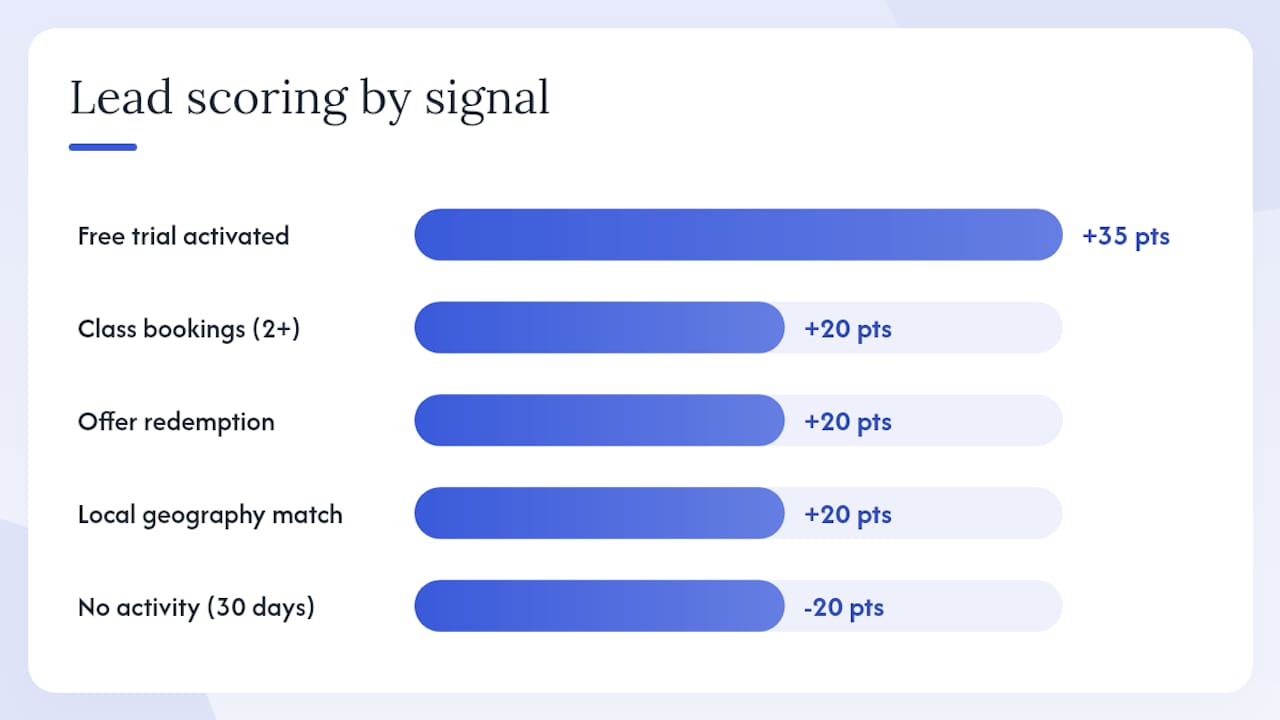
MQL threshold: 35 points. Hot lead: 60+ points. Auto-route: trial or intro offer activation. For more on gym offer structures that drive high-intent signals, the offer redemption event is consistently one of the strongest predictors of membership conversion.
Implementation checklist (export-ready)
Fields to capture in CRM:
- Composite score (contact record)
- Fit score (contact record)
- Intent score (contact record)
- Score reason (top 3 signals, text field)
- Score date (date field)
- Score band (picklist: Cold / Warm / Hot / Priority)
Automations to build:
- Auto-SQL rule for demo/trial/offer activation
- Slack/email alert for Priority SQL and auto-SQL
- Auto-assignment by score band and territory
- 30-day inactivity decay rule
- Weekly conversion-by-band report
QA steps:
- Confirm score writes back on new contact creation
- Confirm score updates when a new activity fires
- Test auto-SQL rule with a dummy demo request
- Verify score reason field populates correctly
- Check that negative signals subtract (not add) points
Vendor integration notes: HubSpot's native lead scoring (or its AI-powered predictive scoring in Marketing Hub Professional and Enterprise) writes scores directly to contact properties. Oracle Eloqua supports custom scoring models with multiple dimensions. monday.com CRM supports formula columns and automation recipes that can replicate rules-based scoring logic, though predictive scoring requires a third-party integration.
Applied example: lead scoring for a CrossFit gym
CrossFit gyms operate a consumer-facing motion that looks more like PLG than traditional B2B sales. The conversion event is a membership signup, and the highest-intent signals are trial activations, intro class bookings, and offer redemptions, not pricing page visits or demo requests.
Sample routing playbook
| Score band | Action | SLA | Owner |
|---|---|---|---|
| Auto-route (trial activated) | Immediate call + SMS | 5 minutes | Membership sales rep |
| 60+ (Hot) | Call + personalized offer | 1 hour | Membership sales rep |
| 40–69 (Warm) | Automated email sequence + 1 manual touch | 24 hours | Marketing automation |
| 0–39 (Cold) | Nurture sequence only | No SLA | Marketing automation |
For warm leads, a fitness studio lead nurturing sequence that runs 5–7 days with a mix of social proof, class highlights, and a time-limited offer tends to generate the next high-intent signal (a second pricing page visit or a class booking) within the first week.
Operational notes from Enochmarketing's work
The most common data gap for gyms is the disconnect between the booking system (Mindbody, Zen Planner, PushPress) and the CRM or marketing automation platform. Class bookings and trial activations often live in the booking system and never sync to the contact record where the score lives. Fix this first. Without that sync, your highest-intent signals are invisible to the model.
Common integrations to wire up: booking system to CRM (Zapier or native API), Meta/Google Ads lead forms to CRM (for source tracking), and SMS platform to CRM (for response tracking). Once those three are live, the signal inventory is rich enough to run a working scoring model. For a broader view of common lead generation mistakes that affect scoring quality upstream, the most frequent issue is capturing leads from paid ads without a source field, which makes it impossible to weight referral signals correctly.
Key Takeaways
An effective lead scoring model separates fit from intent, starts with 8–12 signals, sets clear routing thresholds, and gets recalibrated quarterly against real closed-won data.
| Point | Details |
|---|---|
| Separate fit and intent | Score firmographic fit and behavioral intent on distinct axes to preserve routing clarity for reps. |
| Start with 8–12 signals | Over-engineering early creates maintenance burden; add signals only when audits reveal a gap. |
| Use negative signals | Subtract points for personal emails, competitor domains, and unsubscribes to prevent false MQLs. |
| Set thresholds from data | Run closed-won leads through the model and set MQL at 40 points and SQL at 70–80 points where conversion meaningfully rises. |
| Enochmarketing implementation | Enochmarketing applies this framework for CrossFit gyms, wiring trial activations and offer redemptions as auto-route signals into CRM. |
The part most teams skip until it's too late
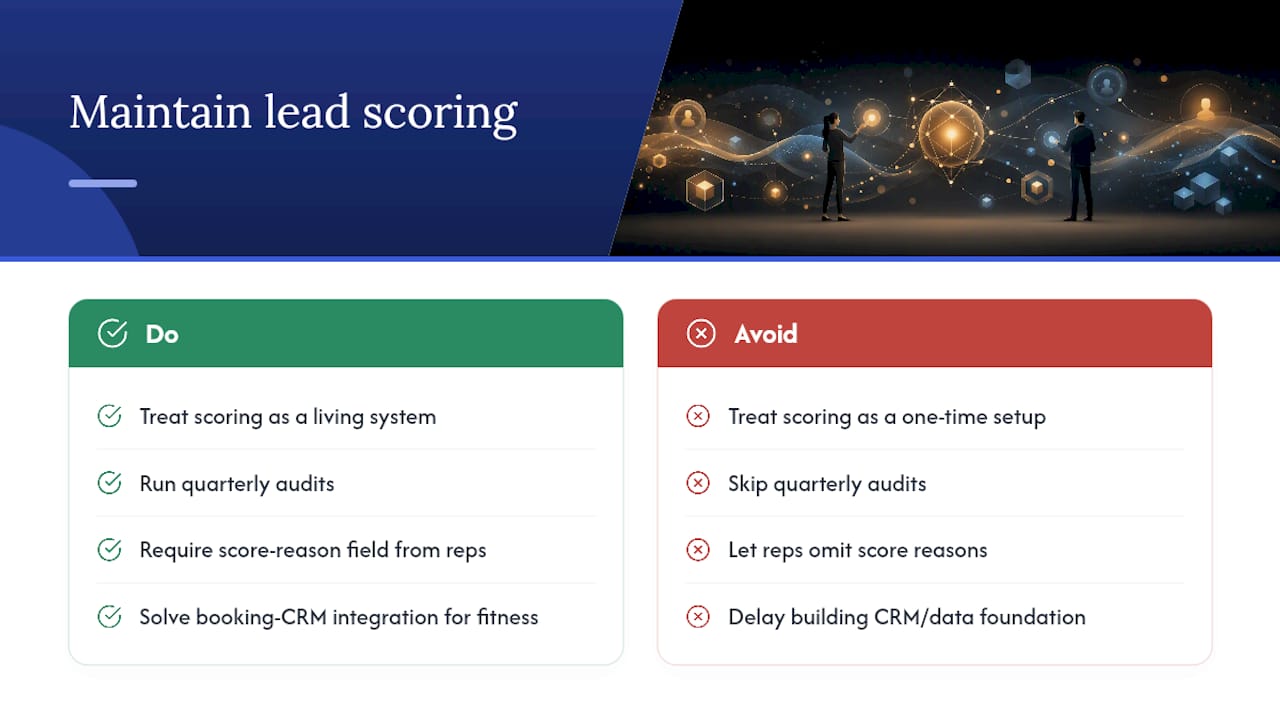
Lead scoring gets treated as a setup task. Teams build the model, flip the switch, and move on. Six months later, the sales acceptance rate has dropped to 40% and nobody knows why. The model drifted. The traffic mix changed. A new campaign brought in a different audience. The weights that worked in January are wrong in July.
The teams that get the most out of scoring treat it as a living system, not a configuration. The quarterly audit is not optional maintenance. It is the mechanism that keeps the model honest. And the score reason field is not a nice-to-have for reps. It is the difference between a tool they trust and one they route around.
There is also a structural shift coming that most teams are not ready for. Relational ML, which captures the colleague conversion signal and content-progression sequences, is moving from enterprise-only to accessible for mid-market teams as CRM data quality improves and tooling matures. The teams that will benefit most are the ones who have already built clean CRM writeback pipelines and labeled outcome data. The model upgrade is easy once the data foundation is there. Building the foundation after the fact is the hard part.
For fitness businesses specifically, the gap between booking system data and CRM data is the single biggest obstacle to a working scoring model. Solve that integration first. Everything else follows.
Enochmarketing builds lead scoring systems for fitness businesses
Most gym owners running paid ads on Meta or Google are collecting leads without a system to prioritize them. Every lead gets the same follow-up, or worse, the same delay. Enochmarketing fixes that by building the full stack: signal selection, CRM writeback, automation rules, and the audit cadence that keeps the model accurate as your audience evolves.
The service scope maps directly to what this article covers: identifying the right fit and intent signals for your gym's audience, wiring trial activations and offer redemptions as auto-route triggers, setting up the Slack alerts and SLAs your membership team needs to respond in under 5 minutes, and running the quarterly recalibration so the model stays predictive as your campaigns scale.
No lock-in contracts. Packages are built for CrossFit gyms and fitness studios, not generic B2B pipelines. If your current setup is not routing your hottest leads to a rep within 5 minutes of a trial signup, that is the first thing to fix.
See the full service scope or review pricing and packages to find the right starting point for your gym.
Useful sources
-
How to Build a Lead Scoring Model That Actually Predicts Conversions (Pecan AI): Covers predictive model architecture, validation methodology, and the audit process for determining when rules-based scoring has stopped being predictive.
-
The Complete Guide to Lead Scoring (Clay): Practical walkthrough of the fit-vs-intent separation framework, signal selection, and the 8–12 signal starting rule.
-
Lead Scoring: Complete Guide (Kumo.ai): Deep coverage of relational ML, the colleague conversion signal, and why flat-table models miss account-level patterns in B2B pipelines.
-
Lead Scoring (ZoomInfo Pipeline Marketing): Explains the explicit/implicit signal taxonomy and the intent hierarchy for weighting behavioral signals.
-
B2B Lead Scoring Criteria: 12 Signals + Point Values (IvrisTech): Sample point allocations, common starting thresholds (MQL ~40, SQL ~70–80), and auto-SQL trigger examples.
-
How to Build an AI Lead Scoring System from Scratch (Saksham Solanki): Minimum dataset requirements for predictive scoring (80 labeled outcomes, 6 months of history) and a step-by-step ML build guide.
-
Lead Scoring by the Numbers (DMNews, archived): Foundational data on negative signal mechanics and example point deductions for disqualifying signals.